When spreadsheets start hiding the truth about your cash
You start with a simple sheet: money in, money out, maybe a tab for receipts. Then a client pays late, a subscription renews early, you float an expense on a personal card, and the “cash balance” cell stops matching what your bank says. You can fix it, but only if you remember every little detail.
Spreadsheets don’t fail because you can’t add. They fail because real cash has timing, duplicates, refunds, and “misc” charges you don’t notice until weeks later. The cost shows up at tax time, when you’re hunting for proof and guessing what counts.
That’s why personal finance software starts to look tempting: can it show the truth without turning your business into a bookkeeping project?
Is “personal” finance software actually good enough for business basics?
That “show me the truth” promise usually holds up the first week you connect your accounts. Transactions pull in automatically, duplicates are easier to spot, and you can search “Stripe” or “UPS” instead of scanning rows. If your business is simple—one checking account, a few recurring tools, and invoice payments landing in the same place—personal finance apps can cover the basics: income vs. spending, category totals, and a month-to-month view.
The gap shows up when you need business-shaped details. Personal tools often treat categories as “budget labels,” not tax categories, so “Software” and “Office” might be fine, while “Contract labor” or “Owner draw” may get awkward. Receipt attachment can be limited, and reports may not separate reimbursable expenses or sales tax cleanly. If you’re handling refunds, partial payments, or paying contractors, you can still use it—but expect more manual notes and cleanup.
The real question becomes whether you can keep business activity separate enough to trust the numbers.
The separation problem: staying organized without mixing personal and business
If business and personal spending land in the same feed, the numbers can look “right” while still being useless. A grocery run next to a client lunch, a laptop bought on a personal card, a Venmo transfer that’s really a reimbursement—personal apps will happily total it all unless you force a boundary. Then your monthly “business spend” includes family life, and your tax prep turns into a re-sort project.
The cleanest move is to separate at the account level, even if you keep using personal software. One business checking account and one business card give you a default filter: if it didn’t happen there, it’s not business. If you can’t do that yet, use a dedicated “Business” tag or category set and apply rules for common merchants (Stripe, Zoom, UPS). But you’ll still hit friction: mixed receipts, split transactions, and cash withdrawals require manual edits, and those pile up fast.
Set the boundary first, then decide how strict your setup needs to be to keep trust in the totals.
What your first setup should look like so it doesn’t collapse in month two
That “trust in the totals” usually breaks when you set everything up fast, then stop touching it for two weeks. By month two, the feed is full, the categories are messy, and you’re back to guessing. A first setup that holds starts small and forces a clean path for business-only activity.
Connect only the accounts that define “business” (ideally one checking account and one card), and hide everything else. Create a short list of business categories you can stick to—10–15 is plenty—and add one catch-all like “Review” for anything unclear. Then build a few simple rules for the repeat stuff: your payment processor deposits, core subscriptions, shipping, and phone/internet. If the app supports notes, use them for sales tax, reimbursements, and “owner pay” so you don’t rely on memory later.
The limitation is time: you’ll need a 10-minute weekly pass to keep rules from mislabeling new merchants and to split mixed transactions before they harden into noise.
Once transactions flow in, which rules and routines keep it low-effort?

That 10-minute weekly pass is what keeps the feed from turning into a second inbox. In a typical week you’ll see the same deposits, the same subscriptions, and a handful of “what was this?” charges. If you only touch the app when you feel behind, you’ll spend an hour re-learning your own month. If you touch it while the receipts and context are still fresh, you mostly just confirm.
Start by letting rules handle the obvious: payment processor deposits to “Income,” core tools to “Software,” shipping to “Postage,” and bank fees to “Bank charges.” Then add one rule that is deliberately conservative: anything from new merchants goes to “Review,” not a “best guess” category. A wrong auto-label is worse than an uncategorized one, because it hides the problem until your totals look strange.
Keep two routines: a weekly “clear Review to zero,” and a monthly “reconcile the business accounts to the bank balance.” The practical downside is splits and reimbursements—those still require manual edits, and if you ignore them, your clean automation slowly stops matching how you actually work.
Can you get a clean monthly picture and be ready for taxes with this?
That mismatch between “how you actually work” and what the app shows is what ruins a monthly picture. A clean month means you can answer three questions fast: how much came in, how much went out, and what’s left after true business costs. If your business activity runs through one checking account and one card, personal software can usually produce that view with a simple monthly income-and-spend report plus a category summary.
Tax readiness is harder than “categories look tidy.” You need totals that map to common tax lines, plus backup for anything a tax pro will ask about. In practice, that means a year-to-date export (CSV), a receipt habit for larger purchases, and consistent notes for reimbursements, sales tax, and owner draws. If you’re paying contractors, collecting sales tax, or mixing personal and business in one feed, expect gaps: 1099 tracking, balance sheet items, and clean “what is taxable?” answers often won’t come out without extra work.
If you can’t hand over a single export that matches your bank and tells a clear story, you’re close to the point where a business tool (or a bookkeeper) stops being optional.
The point where personal tools stop being “cheap and simple”
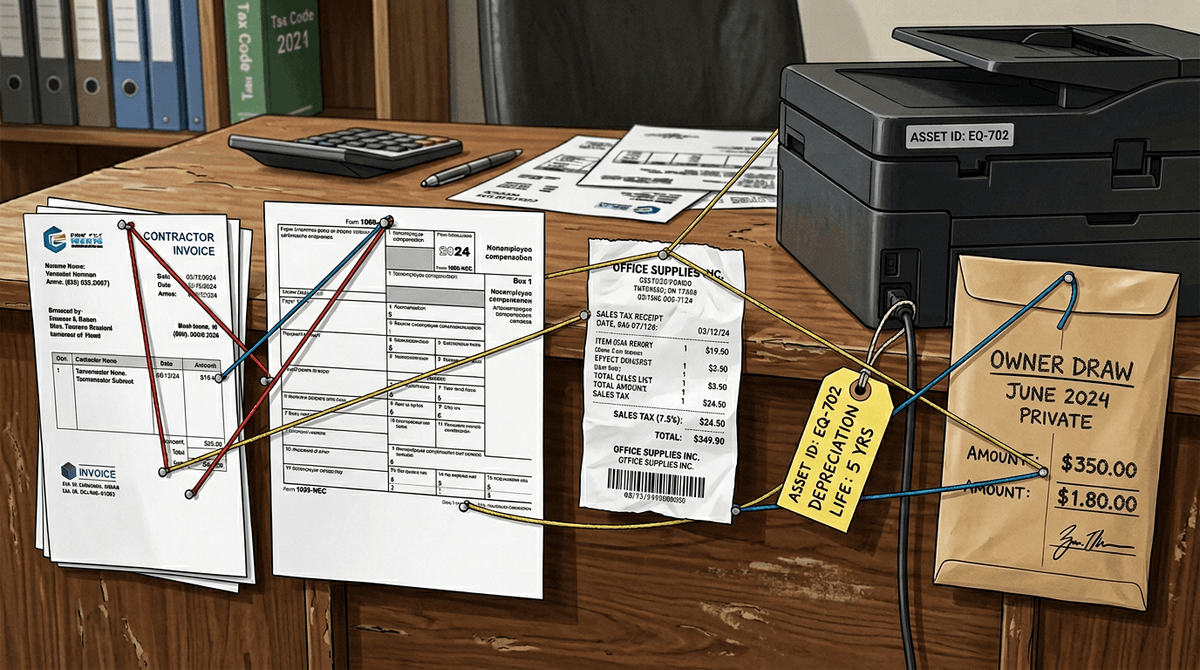
That “single export that matches your bank” is where personal tools start costing you in time instead of dollars. It usually happens when your volume rises or your money gets less linear: multiple income streams, refunds and chargebacks, transfers between accounts, or client payments that cover several invoices. The app can still show cash in and out, but the steps to explain why the numbers moved start living in notes, split transactions, and manual fixes.
You’ll also feel it when taxes stop fitting into categories. Owner draws, equipment you’re depreciating, sales tax you collected but shouldn’t count as income, and contractor payments you need to track for 1099s don’t behave like “spend less on coffee.” If you’re regularly exporting to spreadsheets to rebuild reports, or you avoid looking because you know you’ll need an hour to clean up, the “cheap and simple” phase is over.
At that point, the question shifts from “can it work?” to “what boundaries keep it from breaking until you switch?”
A practical decision: use personal software now, but set boundaries
Those boundaries look like a short list of rules you can actually follow. If personal software saves you time right now, use it—but only for a clearly defined slice: one business checking account, one business card, and a fixed category list you don’t keep rewriting. Pay yourself with a labeled transfer (“Owner pay”), and don’t “fix” messy weeks by bulk auto-categorizing; clear “Review” while you still remember what happened.
Be honest about the cost: you’re buying simplicity by giving up structure. The trigger to switch is when you need clean answers the app can’t produce without reconstruction—sales tax totals, contractor/1099 tracking, invoice-level income, or a balance sheet that matters. When those show up, upgrade tools or add a bookkeeper before the backlog becomes the system.